



Photo Collage
How to Create an 89 Photo Collage Template for Meaningful Memories
Sep
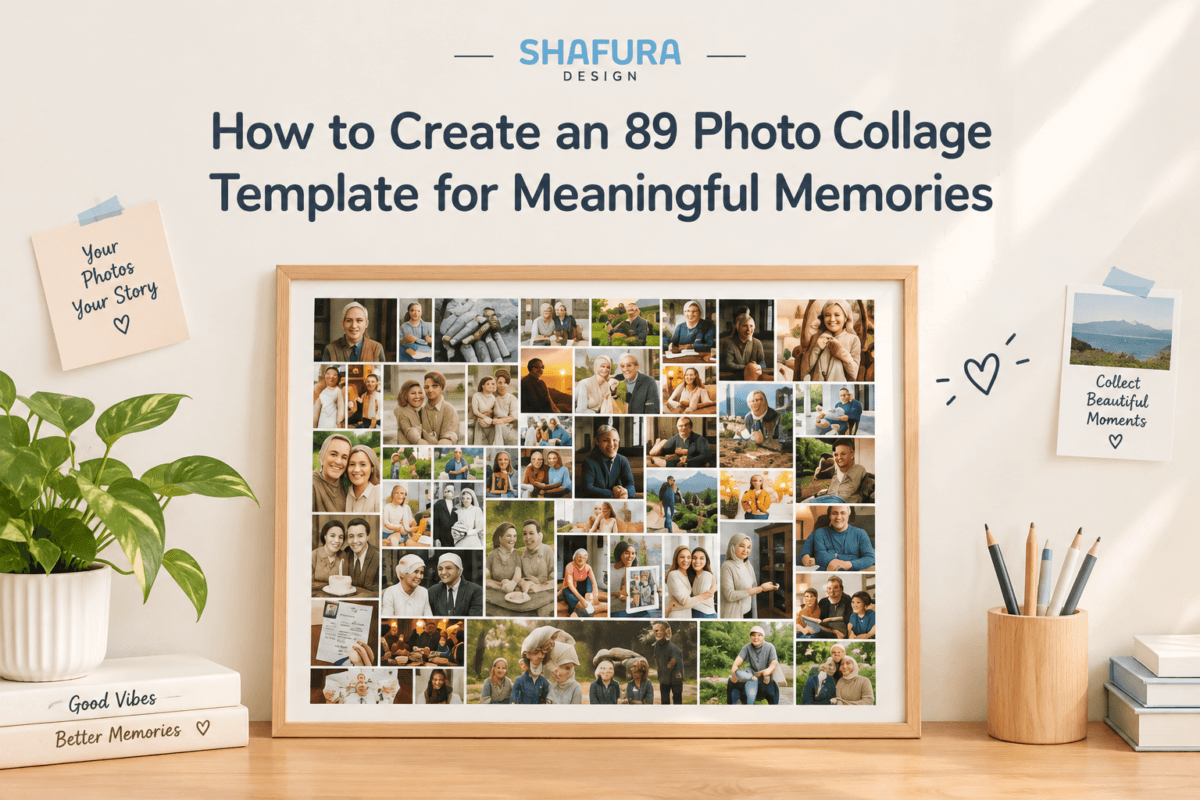
An 89 photo collage template is a practical way to bring many favorite memories together in one meaningful display. Instead of choosing only a few photographs, you can arrange dozens of moments in a balanced portrait layout while giving one important image a larger space in the center.
Whether you are creating a wedding memory display, anniversary gift, birthday collage, graduation poster, or family photo wall, a large photo collage can turn a collection of pictures into a personalized piece of wall art.
Why Create an 89 Photo Collage?
Photos often tell a story better when they are displayed together. An 89-photo layout gives you plenty of space to include different moments without creating separate posters for every event.
A large collage can include portraits, group photos, travel memories, celebrations, and everyday moments. Because the design combines different photo frames, you can also use photographs with different orientations.
If you want to explore another style, you can also see the Editable Photo Collage Template from ShafuraDesign.
The result is a single display that brings many memories together.
How Many Photos Can You Use?
An 89 photo collage template includes 89 editable photo placeholders. In addition, the layout has one large landscape photo frame in the center.
This makes the center image especially useful for an important photograph, while the surrounding frames can showcase the rest of your favorite memories.
You do not need every photograph to have the same orientation. The design combines portrait, landscape, and square frames, making it easier to work with a mixed photo collection.
Choose Photos for Your 89 Photo Collage
Before editing your collage, organize the photographs you want to use.
Start by selecting the most meaningful pictures. For example, you might include:
- Family photographs
- Wedding memories
- Anniversary moments
- Birthday celebrations
- Graduation photographs
- Vacation memories
- Friendship photos
- Milestone events
- Retirement celebrations
- Memorial photographs
Next, choose one photograph that deserves extra attention. This image can be placed in the large center frame.
Using a central photo helps create a visual focal point while the surrounding images tell the rest of the story.
Choose the Right Photo Collage Layout
The layout is an important part of a large photo display. A portrait format can work especially well for framed wall art because it creates a tall composition with a clear visual structure.
An 89 photo collage template uses a balanced grid with different frame orientations. Therefore, you can combine portrait, landscape, and square photographs without forcing every picture into the same shape.
If you like layouts that emphasize a central image, the Photo Collage Template with Center Picture is another ShafuraDesign template worth exploring.
Personalize Your Photo Memory Collage
A photo collage does not have to contain photographs alone. You can also add personal details to make the finished design more meaningful.
For example, you can add:
- A person’s name
- A special date
- An event title
- A short message
- A meaningful phrase
The original template contains no fixed wording, so you can personalize the text according to your occasion.
This flexibility allows the same collage style to work for different celebrations and personal projects.
Create an 89 Photo Collage Template in Canva
Canva makes the editing process straightforward, even if you do not have professional design experience.
First, upload your selected photographs to Canva. Then, drag each image into the corresponding frame. You can reposition or crop photographs whenever necessary.
After placing your photos, add your preferred names, dates, title, or message. Finally, review the complete layout before downloading your finished design.
A free Canva account is supported, so a Canva Pro subscription is not required for editing this template.
For large projects with many photographs, using a laptop or desktop computer can make the editing process easier.
89 Photo Collage for Weddings and Anniversaries
A large photo collage can be a meaningful way to collect memories from an important relationship.
For weddings, you can combine engagement photographs, wedding-day moments, family pictures, and favorite couple photos. For anniversaries, the collage can bring together memories from different years.
The large center frame can highlight one favorite photograph, while the surrounding frames can show the journey behind that special moment.
89 Photo Collage for Birthdays and Milestones
Birthdays and milestone celebrations are another natural use for a large photo display.
You can create a collage featuring photographs from childhood through the present day, or focus on memories from a particular year or period.
Because the design is editable, you can also add a birthday person’s name, age, date, or personal message.
Create a Family Photo Display
Family photographs often come in many different sizes and orientations. A mixed-frame collage makes it easier to combine these photographs into one composition.
You can include parents, grandparents, children, siblings, relatives, holidays, celebrations, and everyday family moments.
Instead of keeping these memories scattered across different albums and devices, a large photo collage can turn them into a display that can be enjoyed together.
Turn Your Photos Into Wall Art
A digital photo collection can be meaningful, but printed wall art gives those memories a physical place in your home.
The 89-photo portrait layout is available in several sizes, including 18 x 24 inches, 20 x 30 inches, 24 x 36 inches, A2 portrait, and A1 portrait.
Having several size options makes it easier to choose a format that matches your frame or available wall space.
Edit the 89 Photo Collage in Canva
Once you have your photographs ready, the editing process can be completed online.
The template includes five separately prepared portrait Canva templates, with each paper size provided as its own template. A PDF file is also included with the Canva template links and access instructions.
After opening your preferred template, simply upload your photographs, place them into the frames, adjust the images, and personalize the text.
When everything looks right, you can download the finished collage for printing or digital use.
Create Your Own 89 Photo Collage
If you want to combine a large collection of memories into one personalized design, an 89 photo collage templateprovides a structured starting point.
With 89 photo placeholders, a large center image, mixed photo frames, editable text, and multiple portrait sizes, the layout can be adapted to many different occasions.
You can use the design for weddings, anniversaries, birthdays, family memories, graduations, memorial displays, retirement celebrations, travel memories, and other meaningful events.
The most important part is choosing photographs that tell your story. Once those memories are selected, Canva makes it easy to arrange, personalize, and prepare the finished collage for display.
You can find the complete 89 Photo Memory Collage template at ShafuraDesign and start creating your personalized photo display.
Final Thoughts
Creating a large photo collage is a simple way to turn a collection of individual photographs into one meaningful visual story. An 89 photo collage template gives you enough space for many memories while keeping the composition organized around a large center photograph.
With an editable Canva layout, multiple portrait sizes, and flexible text areas, you can create a personalized photo display without starting the design from scratch.
Editable Family Photo Collage Template, Printable Wall Art (Canva Template)
1996 Photo Collage Template, 30th Birthday Number Collage, Editable Canva
41st Birthday Photo Collage 1985, Editable Year Number Template, Personalized Birthday Poster, Custom Canva Digital Download