
Canva Design
How to Create Professional Canva Templates for Your Business
Aug
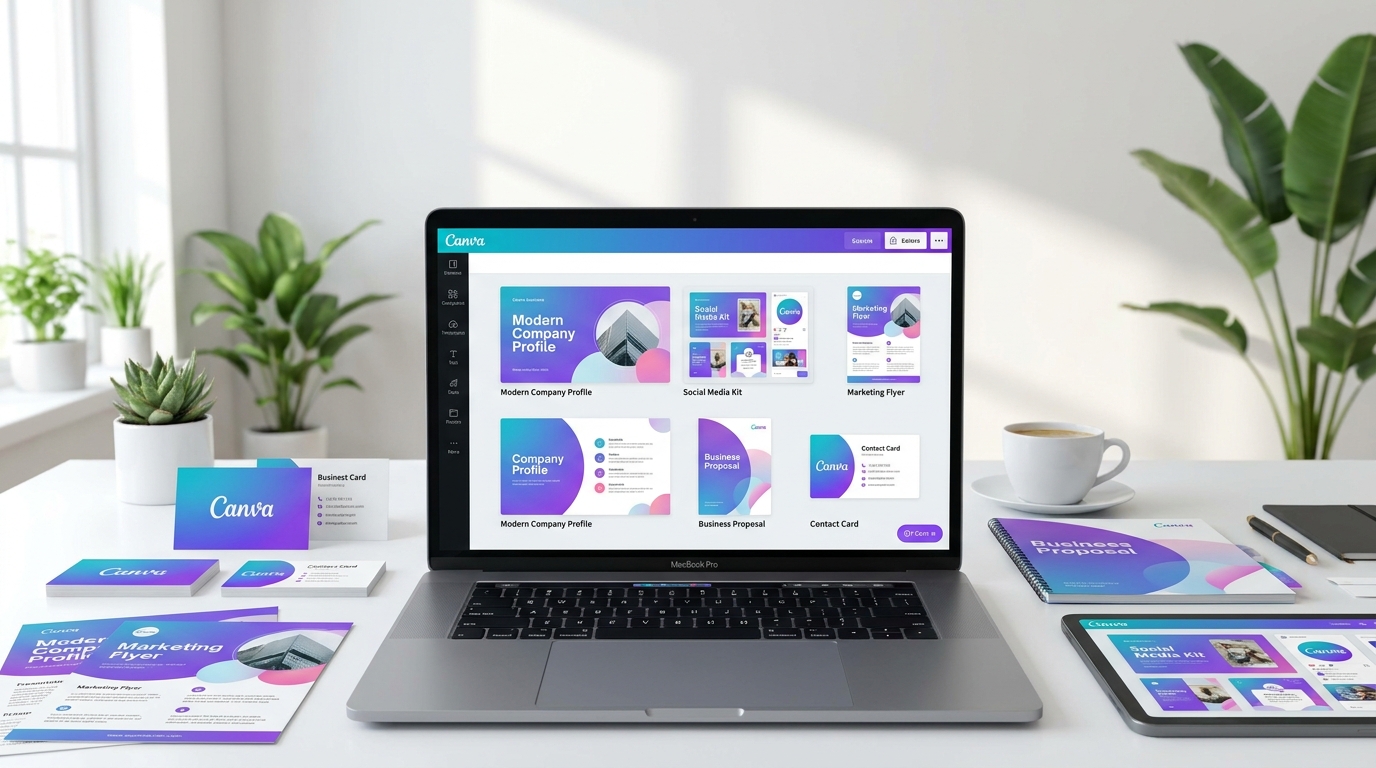
Creating effective Canva business templates helps businesses maintain professional branding while saving time when producing marketing content. Modern businesses need a constant flow of visual materials, including social media posts, advertisements, presentations, brochures, promotional graphics, and internal documents. Without a structured design system, creating new content repeatedly can become inefficient and often leads to inconsistent branding.
Canva has made professional design more accessible by allowing businesses to create reusable templates without advanced design software. However, creating templates that truly support a brand requires more than choosing attractive layouts. Professional Canva templates need strategic planning, consistent branding, clear structure, and flexibility so they can be used across different marketing needs.
Why Canva Business Templates Are Important for Modern Businesses
Canva business templates provide businesses with a practical way to maintain visual consistency across multiple marketing channels. Instead of creating every design from the beginning, teams can use prepared layouts that already follow their brand identity.
Consistency is one of the most important elements of professional branding. When customers repeatedly see the same colors, typography, layouts, and visual style, they become more familiar with the business. This recognition helps create trust and makes the brand easier to remember.
Without reusable templates, businesses often create designs based on individual preferences. One social media post may use different colors, another may use different fonts, and presentations may appear unrelated. Over time, these small differences weaken the overall brand identity.
How to Create Canva Business Templates With a Strong Brand Foundation
The first step in creating professional Canva business templates is establishing a clear brand foundation. Before designing templates, define the visual elements that represent your business.
Important elements include:
- Brand color palette
- Typography system
- Logo placement rules
- Image style
- Graphic elements
- Layout structure
These elements should remain consistent across every template. A social media template, presentation slide, and marketing flyer may have different purposes, but they should still feel like they belong to the same brand.
A strong template system starts with strategy, not decoration. The goal is not simply to create attractive designs but to create a repeatable system that supports long-term business communication.
Design Templates Around Real Business Needs
A common mistake is creating templates without considering how they will actually be used. Professional templates should solve specific business problems.
Useful Canva business templates may include:
- Social media post templates
- Instagram carousel templates
- Promotional banners
- Presentation slides
- Proposal documents
- Marketing flyers
- Product announcement graphics
- Customer testimonial templates
- Email marketing graphics
Each template should have a clear purpose. A promotional design requires different information placement compared to an educational post or a company presentation.
Understanding the content requirements before designing helps create templates that are practical instead of only visually appealing.
Create Flexible Layouts That Are Easy to Customize
A good template should provide structure while allowing customization. If every element is fixed and difficult to edit, users may struggle when adapting the design for different content.
Professional Canva templates should consider:
- Editable text areas
- Flexible image sections
- Clear spacing
- Consistent alignment
- Simple design hierarchy
The best templates guide users without limiting creativity. They make it easy to replace text, images, and colors while maintaining the overall brand appearance.
Avoid Generic Canva Template Designs
Canva provides thousands of ready-made templates, but many businesses make the mistake of using them without customization. Since these templates are available to millions of users, the final result can look similar to many other brands.
Professional Canva business templates should be customized with unique brand elements. This includes adjusting layouts, applying specific colors, using brand typography, selecting suitable imagery, and creating a visual style that represents the company’s personality.
A customized template system allows businesses to benefit from Canva’s convenience while maintaining a professional and recognizable appearance.
Maintain Consistency Across Multiple Platforms
Businesses rarely create only one type of content. Marketing usually requires different designs across multiple platforms and communication channels.
A strong Canva template system ensures consistency across:
- Website graphics
- Social media platforms
- Presentations
- Advertisements
- Marketing documents
- Digital campaigns
When every asset follows the same visual direction, customers experience a unified brand wherever they interact with the business.
This consistency also improves efficiency because teams no longer need to make new design decisions every time they create content.
How Professional Canva Templates Improve Marketing Efficiency
Time is one of the biggest challenges for businesses creating regular content. Without templates, every design requires decisions about layout, typography, colors, and structure. This process slows down marketing activities.
Professional templates reduce this workload by providing an established starting point. Teams can focus more on creating valuable content rather than rebuilding designs repeatedly.
A well-designed template library also helps maintain quality control. Even when multiple people create content, the brand remains consistent because everyone works within the same visual system.
When Custom Canva Templates Are Better Than Standard Templates
Standard Canva templates are useful for beginners, but growing businesses often need more specific solutions. Generic templates may not reflect the company’s positioning, audience, or brand personality.
Custom Canva templates are created specifically around a business identity. They combine professional design principles with Canva’s editing flexibility, allowing businesses to create future content while maintaining a consistent appearance.
For businesses that depend heavily on visual marketing, investing in custom templates can improve efficiency, strengthen brand recognition, and create a more professional customer experience.
Conclusion
Creating professional Canva business templates is not only about making attractive designs. It is about building a reusable visual system that helps businesses communicate consistently, save time, and maintain a professional appearance across every marketing channel.
Canva provides powerful tools for creating templates, but the strongest results come from combining the platform with a clear branding strategy. A well-designed template system allows businesses to create content faster while ensuring every design continues to represent the same brand identity.
If your business uses Canva regularly but struggles with inconsistent designs or generic-looking content, custom Canva templates can provide a stronger foundation. A professionally designed template system gives your team the flexibility of Canva while maintaining the quality and consistency customers expect.
Frequently Asked Questions
What are Canva business templates?
Canva business templates are reusable designs created for business purposes, including social media graphics, presentations, marketing materials, advertisements, and branded documents.
Why should businesses use Canva templates?
Canva templates help businesses save time, maintain design consistency, and create professional marketing materials without starting every project from scratch.
Can Canva templates improve brand consistency?
Yes. A well-designed Canva template system ensures that colors, typography, layouts, and visual elements remain consistent across different marketing materials.
Are custom Canva templates better than free templates?
Custom Canva templates are designed specifically for a business identity, making them more unique, flexible, and aligned with long-term branding goals.
How many Canva templates does a business need?
The number depends on the business needs. Most companies benefit from a template library covering social media, marketing materials, presentations, and promotional content.
Related Articles
- How to Design Stunning Social Media Graphics in Canva
- How to Design Professional Marketing Materials in Canva
- How to Build a Consistent Brand Identity That Customers Trust
- How to Create a Brand Identity
- Custom Canva Design Services
External Reference Suggestions
- Canva Design School – https://www.canva.com/designschool/
- Canva – https://www.canva.com/
- Google Fonts – https://fonts.google.com/
